

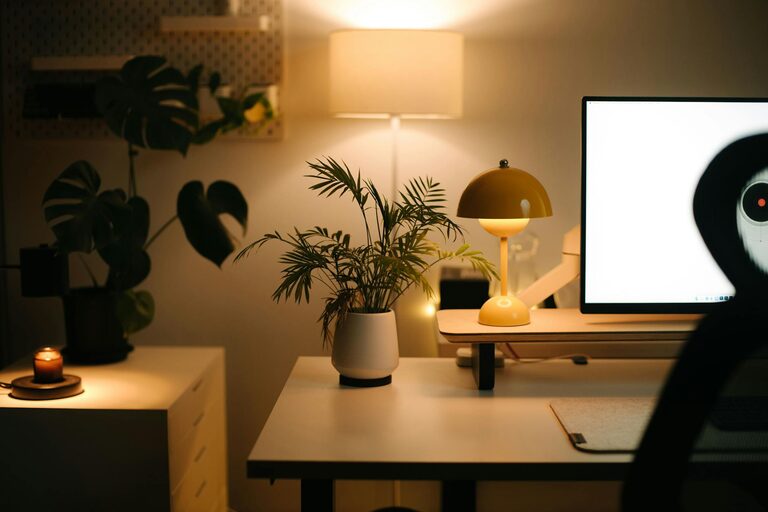
Creating a home office that feels both cozy and productive can greatly enhance your work-from-home experience. Whether you spend a few hours a week or full days working remotely, having a designated space that inspires focus while offering comfort can boost your efficiency and well-being. In this post, we will explore several tips and ideas to help you design a home office that meets your needs and promotes productivity.
Prioritize Location and Lighting
Choose the Right Spot
Selecting the ideal location for your home office is the first step. Look for a quiet area with minimal distractions — a spare room, a corner in the living room, or even a converted nook can work well. Consider proximity to natural light sources, as daylight can improve mood and reduce eye strain.
Optimize Lighting
If natural light is limited, invest in good artificial lighting. A combination of overhead lighting and task lamps will help you avoid shadows and glare on your screen. Warm light bulbs create a cozy vibe, while adjustable lighting allows you to tailor brightness for different tasks throughout the day.
Invest in Comfortable and Functional Furniture
Ergonomic Chair
Comfort is key since you’ll likely spend several hours seated. Choose an ergonomic office chair that supports your back, encourages good posture, and has adjustable height and armrests.
Adequate Desk Space
Pick a desk that fits your space but provides enough room for your computer, documents, and any tools you use regularly. Adjustable or standing desks can offer flexibility, allowing you to shift between sitting and standing to reduce fatigue.
Storage Solutions
Keep your workspace clutter-free with shelves, drawers, or organizers. Dedicated storage helps you find what you need quickly and keeps the room tidy, fostering a more focused atmosphere.
Personalize Your Space Without Overcrowding
Add Comforting Elements
Incorporate soft textiles such as a cozy rug, cushions, or curtains to add warmth. A small blanket or plush throw can also make the space inviting.
Bring in Nature
Houseplants not only brighten the space but can also improve air quality. Choose low-maintenance plants, like pothos or snake plants, which thrive indoors with minimal care.
Display Inspiring Items
Decorate with artwork, photos, or motivational quotes that inspire you. Keep decorations simple to avoid a cluttered feel.
Establish an Organized and Efficient Workflow
Clear Desk Policy
Aim to clear your desk at the end of each workday. A clean surface helps reduce stress and prepares you for a focused start the next morning.
Use Organizers and Labels
Trays, file holders, and cable organizers help keep everything in its place. Label drawers or folders to quickly find documents and supplies.
Digital Organization
Beyond physical organization, maintain digital order by structuring folders and files on your computer logically. Use apps and tools to manage tasks and deadlines efficiently.
Minimize Distractions
Noise Control
Consider soundproofing your space with rugs, curtains, or acoustic panels if noise is an issue. Using noise-canceling headphones can help maintain focus during busy or noisy times.
Limit Digital Interruptions
Turn off non-essential notifications during work hours, and designate specific times to check emails or messages. This can prevent constant interruptions.
Create a Routine and Define Boundaries
Set Work Hours
Having regular work hours helps your mind transition into productivity mode. Try to start and end your day consistently.
Separate Work and Leisure
Define your office space as a work-only zone if possible. This physical boundary helps your brain associate the area with focus, making it easier to switch off after work.
Maintain Air Quality and Comfort
Ventilation
Keep your home office well-ventilated. Fresh air helps with concentration and energy levels.
Temperature Control
Maintain a comfortable temperature with fans, heaters, or air conditioning as needed. Personal comfort is crucial for long work sessions.
Incorporate Technology Thoughtfully
Reliable Equipment
Invest in a good-quality computer, high-speed internet, and peripherals like a keyboard, mouse, and monitor to streamline your workflow.
Cable Management
Use clips or tubes to keep cables neat and out of the way. This reduces clutter and potential hazards.
—
Creating a home office that is both cozy and productive requires intentional planning, but it is well worth the effort. By focusing on location, lighting, furniture, personalization, organization, and minimizing distractions, you’ll establish a workspace that enhances your professional efficiency while supporting your comfort and wellbeing. Experiment with the tips that suit your style and needs, and enjoy a home office that truly works for you.