

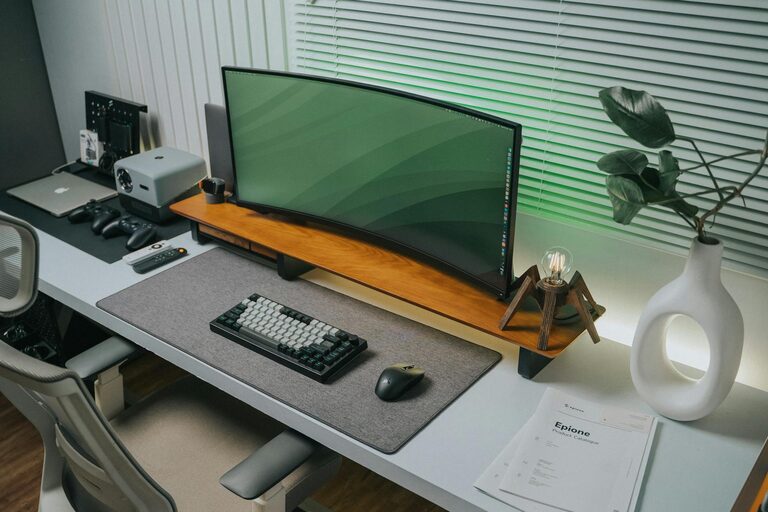
Creating a well-organized and productive home workspace is essential in today’s world, where working remotely or managing personal projects from home has become common. A dedicated and thoughtfully arranged area can help increase focus, reduce stress, and improve output. In this post, we’ll explore practical tips for setting up and maintaining a home workspace that supports your best work.
Why an Organized Home Workspace Matters
Having a designated workspace helps separate work tasks from home life, making it easier to concentrate and create a healthy routine. Clutter or distractions can lead to frustration and decreased productivity. On the other hand, a tidy and organized area promotes clear thinking and efficiency.
Choosing the Right Location
Consider Natural Light
If possible, choose a spot by a window. Natural light enhances mood and energy, making it easier to stay alert throughout the day.
Minimize Noise and Distractions
Select a quiet corner or room that isn’t heavily trafficked by family members or roommates. This reduces interruptions and allows for better focus.
Ensure Comfortable Space
Make sure there’s enough room for your desk, chair, and equipment without feeling cramped. Comfort encourages longer, productive sessions without discomfort.
Setting Up Your Desk
Invest in a Good Chair
A supportive chair with adjustable height and backrest prevents posture problems and keeps you comfortable.
Organize Your Essentials
Keep daily tools like pens, notebooks, and your computer within reach. Use desk organizers or drawer dividers to prevent clutter.
Manage Cables
Use cable clips or sleeves to keep cords tidy and out of the way. This not only looks cleaner but also reduces hazards.
Technology and Equipment Tips
Reliable Internet and Power Supply
A strong internet connection is vital for remote work. Consider wired connections for stability if Wi-Fi is inconsistent. Use surge protectors to guard electronic devices.
Dual Monitors or Laptop Stands
Adding a second screen or raising your laptop to eye level helps reduce neck strain and improves workflow.
Keep Devices Updated and Clean
Regularly update software and keep hardware dust-free to maintain smooth performance.
Creating an Organized System
Use Storage Solutions
Shelves, filing cabinets, or storage bins help keep documents and supplies orderly. Label containers clearly for easy access.
Develop a Filing Routine
Organize digital and paper files into categories and regularly purge unnecessary items to avoid buildup.
Plan Your Day Visually
Use calendars, planners, or task boards near your workspace to track deadlines and priorities.
Maintaining Productivity Throughout the Day
Establish a Routine
Start work at a consistent time and include breaks to prevent burnout. A structured schedule reinforces discipline.
Personalize Mindfully
Add plants or artwork that inspire calm and creativity but avoid excessive decorations that can distract.
Incorporate Movement
Stand, stretch, or walk regularly to keep blood flowing and refresh your mind.
Keep It Clean and Clutter-Free
At the end of each workday, take a few minutes to tidy your desk. A clean workspace makes it easier to start fresh the next morning and maintains a professional mindset.
Final Thoughts
Designing an organized and productive home workspace takes some planning but pays off with improved focus and work quality. By choosing the right spot, investing in comfortable equipment, managing clutter, and establishing routines, you can create an environment that fosters success and well-being. Start small and adjust your setup to fit your unique needs and watch your home workspace become your productivity hub.